Contents
Support Managers
|
Sammyredfire
English
| online |
|
Aerielle Kiyori
English
| offline |
|
Anomelli Mellow
English
| offline |
|
Bombchelle78
English
| offline |
|
donotresurrect
English
| offline |
|
Glaznah Gassner
English, Russian
| offline |
|
Kaitlynn Rizzo
English
| offline |
|
Makaylah Wurgle
English
| offline |
|
NealB
English, Hindi
| offline |
|
Rehnaeaislinn
English
| offline |
|
xartashah
English
| offline |
| show offline managers | |
| English, Hindi, Russian |
Group Notices Service
Main > Group Notices Service > Group Notices Service
General Information
Group Notices Service is designed to send out notices to a group consisting of a header, text, and optional attachments.
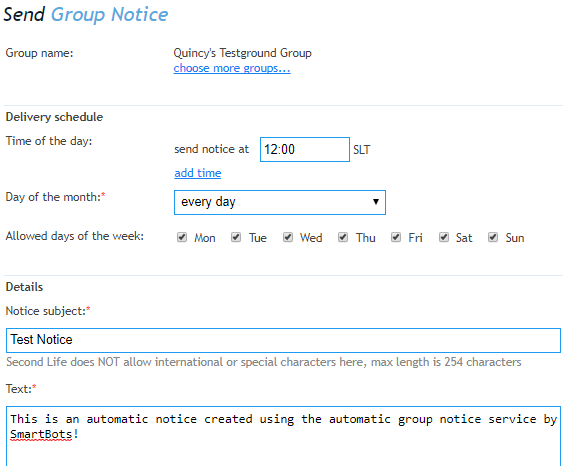
The notice is set up using a web interface:
Periodic & One-Time Notices
There are two types of notices you can send using your Group Notices Service: Periodic and One-Time Notices. Both types can have inventory items attached to them (landmark, notecard or any other SL item).
One-Time Notices
These notices are sent out one time (either immediately or according to your desired schedule).
Periodic Notices
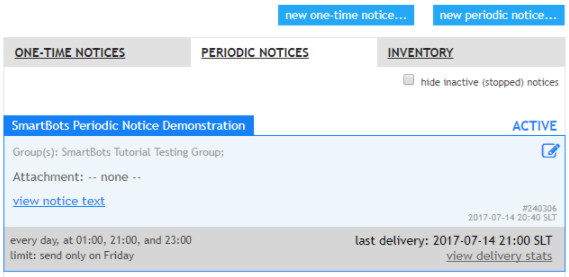
These notices are different in that they are sent one or more times according to the schedule you set up. This can be done once an hour, or on any given day of the week or month.
How to set up
Setting up notices is quick and simple.
- Add a group to your account: click here for instructions
- Assign your bot with abilities: click here for instructions
- Start creating your notices: click here for instructions